
Your products, prices and stock, always up to date
Add products with photos, packs and prices, keep stock counts, and choose who sees each price. The same list feeds your store page, your bills and your orders.
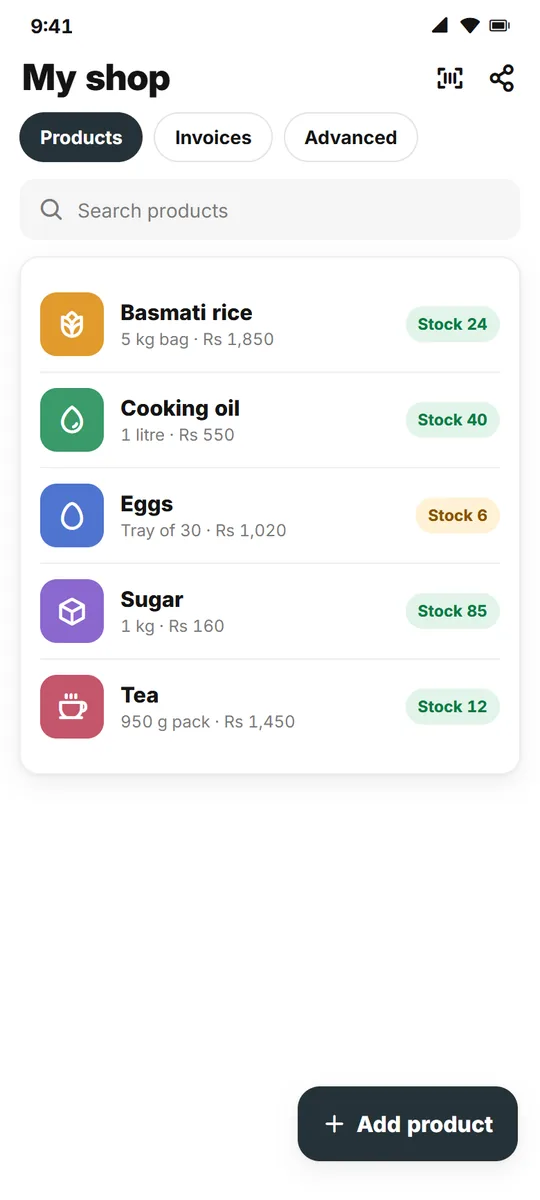
One product list for everything you sell
Change a price once; the store, bills and orders follow.
Packs and sizes
A 5 kg bag, a tray of 30 or a single piece, each with its own price.
Stock counts
Keep the stock of each product in the Advanced tab.
Barcode scan
Scan a barcode to find or add a product faster.
Cost price and profit
Add what you paid and see your profit on each sale.
Who sees the price
Show a price to everyone, or only to your connections.
Copy to my shop
Copy a product listing to your shop and change what you need.
How it works
Three short steps.
Add a product
A photo, a name and a category.
Set packs and stock
Prices for each pack and how many you have.
Sell everywhere
The store page, bills and orders use it.
Questions
How many products can I add?
Free: 10. Pro: 50. Max: 300.
Can I hide a price?
Yes. A price can be public or only for your connections.
Do I need barcodes?
No. Barcodes are optional.
Where do my products show?
On your store page, in the app’s Explore and on linkdger.com when Show in Explore is on.
More for your shop
Add your products today
Free on Android.