
All your orders in one place, from the website and chat
Orders from linkdger.com, from chat and the ones you write yourself come into one list. Accept them, mark them delivered with a discount if you like, and keep track of the cash.
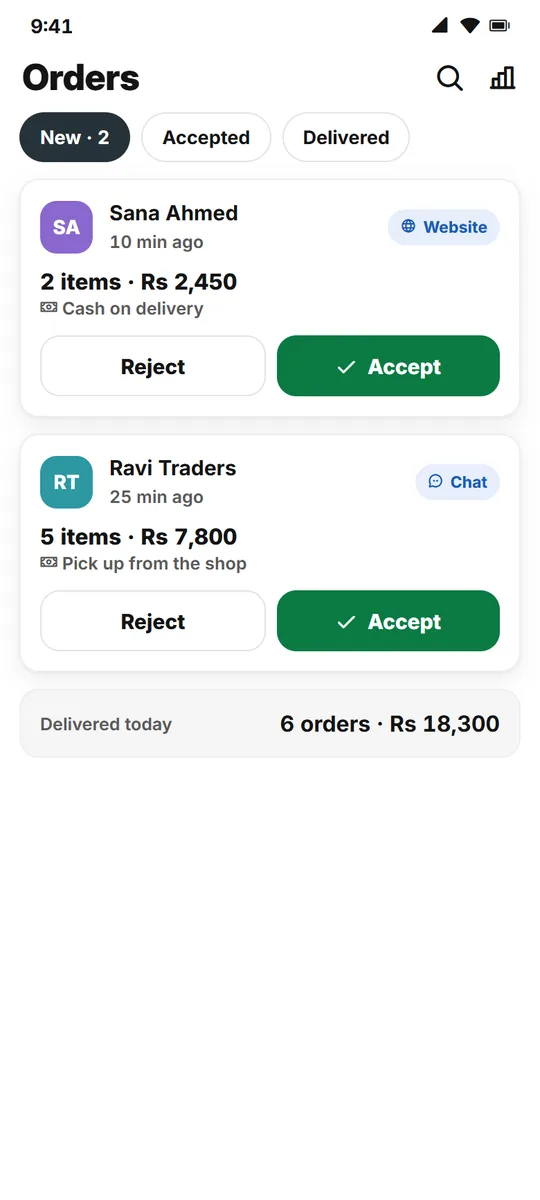
From the first message to the cash in hand
Two simple steps for every order: accept, then deliver.
Website orders
Buyers order from your store page with a phone number and pay cash on delivery.
Orders in chat
An order card inside the chat keeps the order and the talk together.
Accept and deliver
Accept the order, then mark it delivered. That is all.
Discount at delivery
Give a discount when you mark an order delivered; the total updates.
Cash handover
See which delivered orders are paid and who has the cash.
Order reports
Your orders and sales for the month as a PDF.
How it works
Three short steps.
Share your store link
Buyers order on the website or in chat.
Accept the order
You get a notification in the app.
Deliver and get paid
Mark it delivered; it counts in your sales.
Questions
Do buyers need an account?
No. On the website they order with their phone number.
How do I hear about a new order?
The order comes to your app with a notification.
Can I bring back a cancelled order?
Yes. A cancelled order can be added again.
What counts as a sale?
Only delivered orders count in your sales.
More for your shop
Take your next order on LINKDGER
Free on Android.